- DCEmu Network Home
- DCEmu Forums
- DCEmu Current Affairs
- Wraggys Beers Wines and Spirts Reviews
- DCEmu Theme Park News
- Gamer Wraggy 210
- Sega
- PSVita
- PSP
- PS5
- PS4
- PS3
- PS2
- 3DS
- NDS
- N64
- Nintendo Switch
- Snes
- GBA
- GC
- Wii
- WiiU
- Open Source Handhelds
- Apple Android
- XBOX360
- XBOXONE
- Xbox Series X
- Retro Homebrew & Console News
- DCEmu Reviews
- PC Gaming
- Chui Dev
- Submit News
- ContactUs/Advertise
Search DCEmu |
Social Media |
|
Facebook DCEmu Theme Park News Wraggys Beers Wines and Spirits Youtube Wraggys Beers Wines and Spirits DCEmu Theme Park News Videos Gamer Wraggy 210 Wraggys Beers on Twitter Wraggys Beers on Instagram |
The DCEmu Homebrew & Gaming Network |
|
DCEmu Portal |
DCEmu Newcomers |
||||||||||
|
||||||||||
|
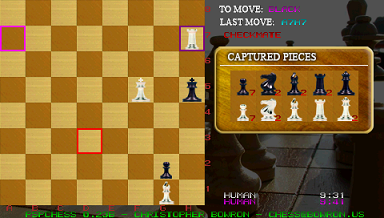
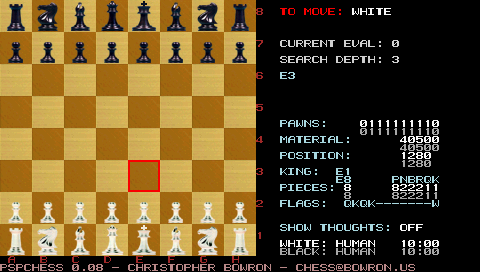
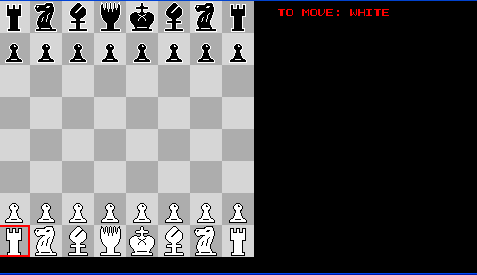
PSP News is a News and downloads site for the Playstation Portable, We have all the latest emulators, homebrew, commercial games for the PSP and all the downloads on this site, we also cover commercial gaming and console news. Part of the DCEmu Homebrew & Gaming Network. PSP Homebrew Name = PSP Chess Authors /Website = cwbowron Screenshots (newest at top)
Downloads = Here v0.31 !4th August 2005 Submit your Custom Chess Pieces here --> http://www.dcemu.co.uk/vbulletin/showthread.php?t=8514 Information = I've been working on getting the infrastructure set up for networking so most of the changes are not user visible changes. The most visible change to end users will be the modification that should allow it to be installed in any directory not just psp/game/pspchess so you should be able to use the corrupt icon removal tool. RELEASE 0.31 client mode keys: Game Mode option supercedes analysis mode (NORMAL,ANALYSIS,CLIENT) Network Framework - Using txt file to mimic network input On Screen Keyboard Code tentatively: DOWN+LTRIGGER - clear input buffer LEFT/RIGHT - change character frame fixed path specific options that required pspchess to located in /PSP/GAME/PSPCHESS now you should be able to do the wacky corrupted icon removal thingy if you want.
The Hottest DCEmu Posters |